
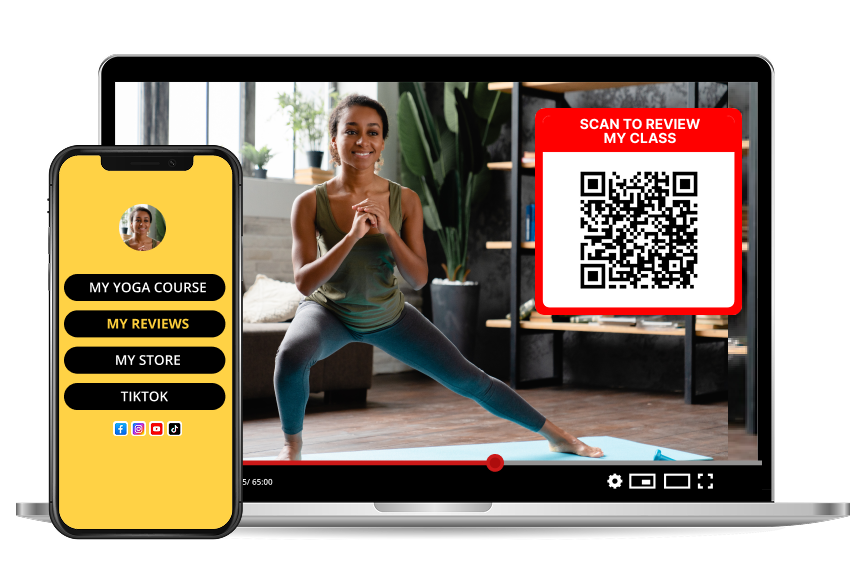
QR Codes for Online Courses: Collect Feedback and Testimonials That Sell
TL;DR
Course creators embed a QR code in the final lesson to collect student feedback and testimonials on autopilot. When a student finishes the last video, they scan the code, rate the course from 1 to 5 stars, and leave a short written review. The instructor moderates the feedback and reuses the strongest quotes on the sales page — closing the loop between completion and social proof.
What is a course feedback QR code?
A course feedback QR code is a scannable link, placed in the final lesson or completion page of an online course, that opens a mobile-optimized review form. It replaces the "please rate this course" plea buried inside a Google Form or a marketplace review widget.
Teachable's 2025 State of the Creator Economy survey reports that only 4% of course buyers ever leave a public review, mostly because the review process requires logging into the platform, remembering credentials, and typing on a laptop. A QR code removes all three friction points.
Why the completion moment is the highest-converting review window
Behavioral research from the Journal of Consumer Psychology shows that customer willingness to write a review peaks within 15 minutes of experiencing the outcome, then drops by roughly 40% per day. A QR code at the end of the last lesson catches that window; an email sent 48 hours later misses it.
Step by step: setting up a course review QR
1. Create a free course page on Reviewtic with the course name, instructor bio, and cover image.
2. Generate and download the QR code.
3. Add the QR to the last slide of the final lesson video and to the course completion / certificate page.
4. Include a 15-second verbal cue — "Before you close this tab, scan the code and let me know what you thought."
5. Follow up with an email three days later linking to the same review page for students who did not scan.
6. Curate the best reviews and embed the public page on your sales landing page.
Where to place the QR inside a course
| Course element | QR placement |
| --------------------- | --------------------------------------- |
| Final lesson video | Last 20 seconds, bottom-right overlay |
| Certificate PDF | Below the signature block |
| Completion email | Above the "next steps" section |
| Course workbook | Final page, next to the author bio |
| Alumni community post | Pinned welcome post |
What to ask beyond a star rating
A star rating alone is weak social proof. Prompt students for one of the following:
1. What is one skill you can do now that you could not do before this course?
2. Who would you recommend this course to and why?
3. What was the single most valuable lesson?
These prompts produce quotable testimonials rather than generic "great course, loved it" comments.
Frequently asked questions
Does the QR code work if the course is hosted on Kajabi, Teachable, or Thinkific?
Yes. The QR points to a URL that works from any hosting platform. Insert it as an image inside a lesson, a module description, or a downloadable PDF — all three platforms support each of those.
Can I collect video testimonials this way?
The Reviewtic form is text and star-rating first, which produces higher completion rates. Video testimonials should be requested separately from your top-rated reviewers as a follow-up, once you have identified them.
How is this better than a Google Form?
Google Forms collect data; they do not publish social proof. A QR-linked review page moderates submissions, publishes approved reviews on a shareable URL, generates schema.org markup for SEO, and lets you embed the reviews on your sales page.
Should I offer a discount or bonus in exchange for a review?
No. Incentivized reviews violate FTC endorsement guidelines unless the incentive is clearly disclosed, and marketplaces increasingly filter them out. A well-placed QR at the completion moment produces higher volumes without incentives.