
QR Codes for YouTube Channels: Drive Subscribers, Reviews, and Brand Deals
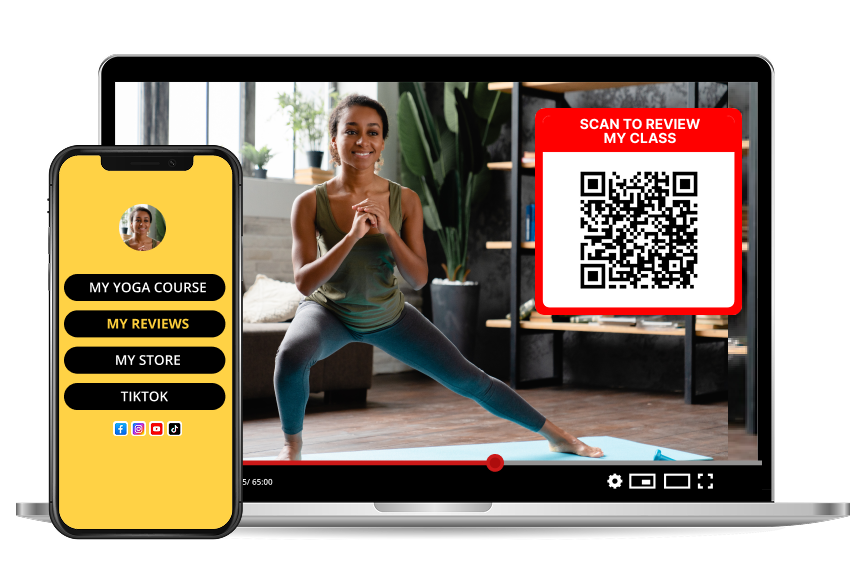
Every YouTube creator repeats the same line: "link in the description." Most viewers never scroll. A QR code on screen — during your outro, mid-roll, or pinned in a banner — turns viewers watching on their TV, laptop, or phone into engaged followers on a second device.
Why QR codes belong on YouTube
YouTube is the only platform where viewers watch on one screen and act on another. A QR code is the missing bridge.
Best places to add a QR code on YouTube
Outro screens
Instead of a generic "subscribe" button, add a QR that leads to your Reviewtic review page. Fans who loved the video leave a review that becomes evergreen social proof.
Mid-roll callouts
When you mention a resource, template, or sponsor, throw a QR on screen for five seconds. Scan rates are highest when the value is fresh.
Channel art and banners
A subtle QR in your banner works across every video — even old ones. It costs nothing and compounds over time.
Community tab and shorts
Shorts get millions of views but rarely convert. A QR overlay gives viewers something to do besides scroll.
Reviews as a growth flywheel
Content creators are increasingly judged on public reviews, not just subscriber counts. A Reviewtic review page — linked via QR — gives brands, collaborators, and future subscribers a fast way to see that real people love your work.
Practical setup
1. Create a Reviewtic review page for your channel
2. Generate a QR that leads to it
3. Add it to your outro template in your editor
4. Say "scan the code to leave a quick review" — verbal cues double scans
Why this beats "link in description"
A link requires scrolling, tapping, and switching apps. A QR requires one motion. That difference is the reason QR-first creators grow subscribers, customer reviews, and sponsorship revenue faster than creators who rely on descriptions alone.