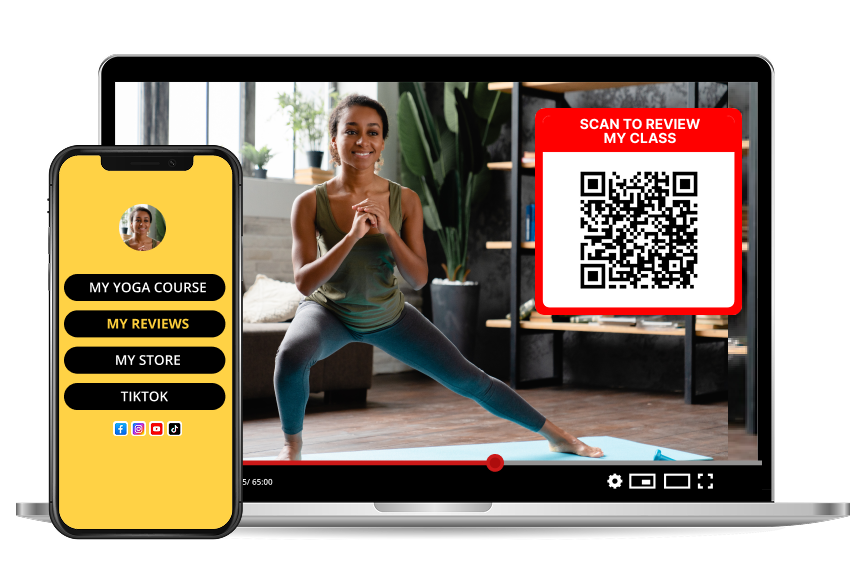
QR Codes for Online Presentations: Engage Your Virtual Audience
Revolutionizing **Virtual Presentations**
Online presentations and webinars have become the norm, but audience engagement remains challenging. QR codes bridge this gap by providing instant interaction opportunities during virtual events.
**Interactive Presentation Benefits**
**Real-Time Engagement**
Instant feedback collection during presentationsLive polls and Q&A sessionsResource sharing without interrupting flow**Accessibility Improvements**
Mobile-friendly interaction for all devicesEasy access to presentation materialsSeamless connection to follow-up resources**QR Code Applications in Presentations**
**Feedback Collection**
Real-time surveys and opinion pollsPresentation ratings and improvement suggestionsContact information gathering for follow-ups**Resource Distribution**
Slide downloads and additional materialsReference links and further readingContact details and social media connections**Implementation Strategies**
**Webinar Integration**
Display QR codes on presentation slidesInclude in chat messages for easy accessAdd to email follow-ups and thank you messages**Virtual Event Optimization**
Registration confirmations with QR accessSession materials and speaker informationNetworking opportunities and connection facilitation**Best Practices for Presentation QR Codes**
**Timing and Placement**
Display for adequate duration (minimum 10 seconds)Strategic positioning on slides for visibilityClear instructions for scanning and participation**Technical Considerations**
High resolution for screen sharing claritySufficient contrast for easy scanningMobile optimization for all devices**Measuring Presentation Success**
Track:
Scan rates during different presentation segmentsEngagement levels and participation ratesFollow-up actions and conversion metrics**Continuous Improvement**
Analyze audience behavior patternsOptimize QR placement and timingRefine call-to-action messagingEnhance your online presentations with QR codes and create memorable virtual experiences!