
Zoom QR Codes: The Fastest Way to Share Links and Collect Feedback in Meetings
Virtual meetings move fast, and pasting a long URL into the Zoom chat rarely gets the click-through you want. A Zoom QR code solves this by giving every attendee a one-scan path to whatever you want them to do next — visit your site, download a resource, or leave a review.
Why Zoom QR codes work
When you show a QR code on your slide or virtual background, attendees pull out their phones and scan. There is no typing, no misspelling, and no waiting for a link to scroll off the chat. It works the same whether you have 5 people in a huddle or 500 in a webinar.
Great uses for a zoom qr code
1. Collect reviews right after the session
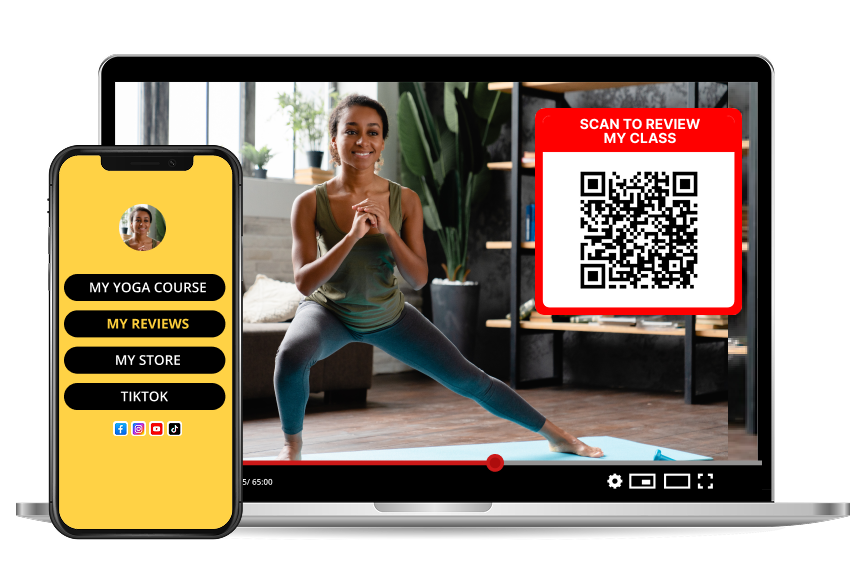
Show a Reviewtic QR code on your closing slide. Attendees scan and land on your custom review page while the value of your talk is still fresh. This is the single highest-converting moment to ask for feedback.
2. Share the deck, worksheet, or replay
One code, one destination page, and every resource lives there. Update the page later without touching the QR code.
3. Grow your list from a webinar
Point the QR to your newsletter or free download. You capture leads even from attendees who never turn on their camera.
4. Book calls or demos
Link to your Calendly or booking page. High-intent attendees book while they are still in the room.
How to make it look good on Zoom
Pair it with a review page
If you are a coach, consultant, or educator running paid sessions, a QR code that leads to a Reviewtic review page is a quiet growth engine. Every meeting becomes an opportunity to earn a customer review you can showcase publicly — no follow-up email required.
Start small: add one Zoom QR code to your next call and watch how many attendees actually scan it. You will not go back.