
Support
How Reviewtic works
Reviewtic turns a simple QR code into a stream of customer reviews you own. This page walks through the whole flow, from signing up to publishing your first review.
How it works
- 1
Create your review page
Sign up, add your business or channel name, logo, description and social links. That becomes your public review page — no website required.
- 2
Share your QR code
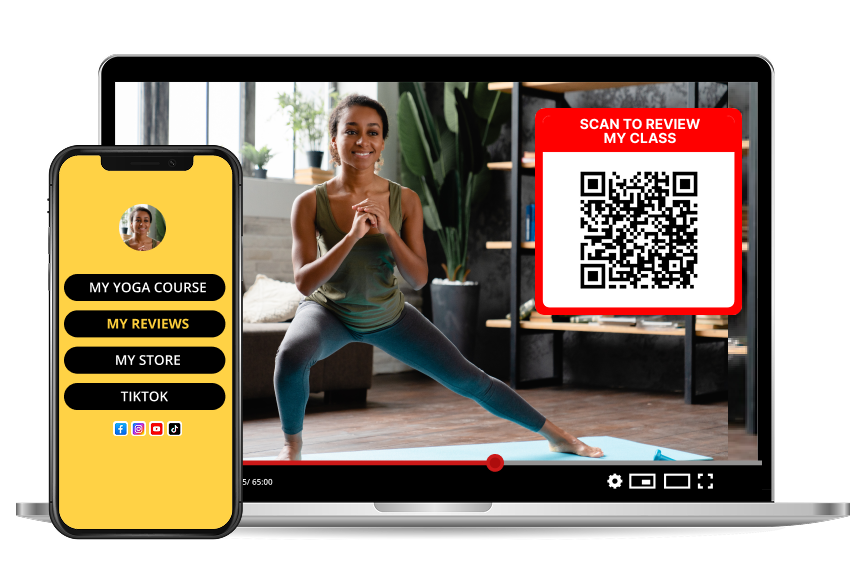
Download the QR code from your dashboard and put it on packaging, receipts, table tents, flyers, your video screen or your link-in-bio.
- 3
Collect and publish reviews
Customers scan, rate and leave a comment. You approve, reply, and share the review page or embed it on your own site.
What you get in your dashboard
Everything lives in one place, so you never have to chase feedback across screenshots, DMs and email threads.
- A branded public review page with your logo, description and social links
- A downloadable QR code and printable templates
- Star ratings plus written comments from real customers
- Public business responses to each review
- An embed view for your own website
Who Reviewtic is built for
Reviewtic was made for businesses and creators who cannot use a map listing — home bakers, mobile mechanics, market stalls, street food stands, online sellers, coaches, podcasters and YouTube channels.
If you sell something, teach something or publish something, you can ask for feedback and show it publicly.
Tips for getting more scans
Placement beats persuasion. The QR codes that get scanned are the ones people see while they are still thinking about you.
- Put the code where the customer's hands already are: the package, the receipt, the table
- Add one short line of context, like "30 seconds, no app needed"
- Ask at the moment of delight, right after delivery or a great result
- Show the code on screen at the end of a video or livestream
Frequently asked questions
Do I need a physical location or a Google Business Profile?
No. Reviewtic gives you your own review page and QR code, so home-based businesses, online sellers, creators and mobile services can collect reviews without a Google Maps listing.
How long does setup take?
Most people are collecting reviews in under ten minutes: sign up, add your business name, logo and description, then download your QR code.
Where can I put my QR code?
Anywhere your customers already look: receipts, packaging, product labels, table tents, business cards, flyers, your video descriptions, email signatures and social bios.
Can I reply to reviews?
Yes. Every review can get a public business response from your dashboard, so people can see how you handle feedback.
Can I show the reviews on my own website?
Yes. Each business gets a shareable review page and an embed version you can drop into your website or link from social media.