
For YouTube creators
Collect real feedback from your YouTube viewers
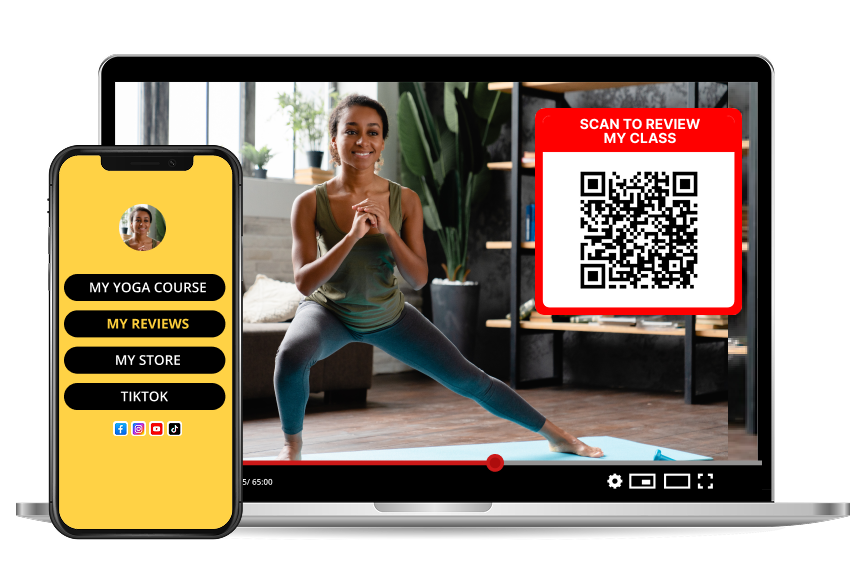
Likes tell you a video was fine. Reviews tell you what to make next. Put a Reviewtic QR code in your outro and let viewers rate your channel and say what they actually want.
How it works
- 1
Set up your channel review page
Add your channel name, logo, a one-line description and links to your socials. That page is where every viewer review lands.
- 2
Put the QR code on screen
Drop the code into your outro card, your end screen, a pinned comment and your video description so viewers can respond on any device.
- 3
Read, reply and publish
Answer viewers publicly, spot the patterns across reviews, and share your review page as social proof for sponsors and new subscribers.
What viewer reviews tell you that analytics cannot
Retention graphs show where people left. They never explain why. A written review does: the intro was slow, the audio was quiet, the topic was too basic, the series was the reason they subscribed.
- Which format your regulars want more of
- Whether your video length matches how people watch
- What made them subscribe instead of just watching
- Which topics they would pay for or recommend
Where to place your QR code
The best moment to ask is the moment someone just finished enjoying something you made.
- The last 10 seconds of the video, next to the subscribe prompt
- Your channel banner and community posts
- Merch inserts, digital product downloads and course welcome pages
- Livestream overlays and Q&A segments
Turn reviews into social proof
A public review page with real star ratings works like a testimonial wall for your channel. Send it to sponsors, add it to a media kit, or link it from your bio so new viewers see that people trust your work.
Frequently asked questions
Why not just read my YouTube comments?
Comments are a public conversation, not feedback. They skew toward the loudest reactions and rarely tell you which video format, length or topic your regular viewers actually want more of.
How do viewers leave feedback from a video?
Show your QR code on screen in the outro and put the link in your description. Viewers scan with a phone, rate the channel and leave a short written comment — no app or account needed.
Does this work for small channels?
Yes, and it matters more when you are small. Twenty honest reviews from real viewers is far more useful direction than a thousand anonymous likes.
Can I show viewer reviews to sponsors?
Yes. Your public review page collects star ratings and written testimonials in one link you can send to a brand alongside your analytics.