
QR codes for video
QR code video reviews: ask while the moment is still warm
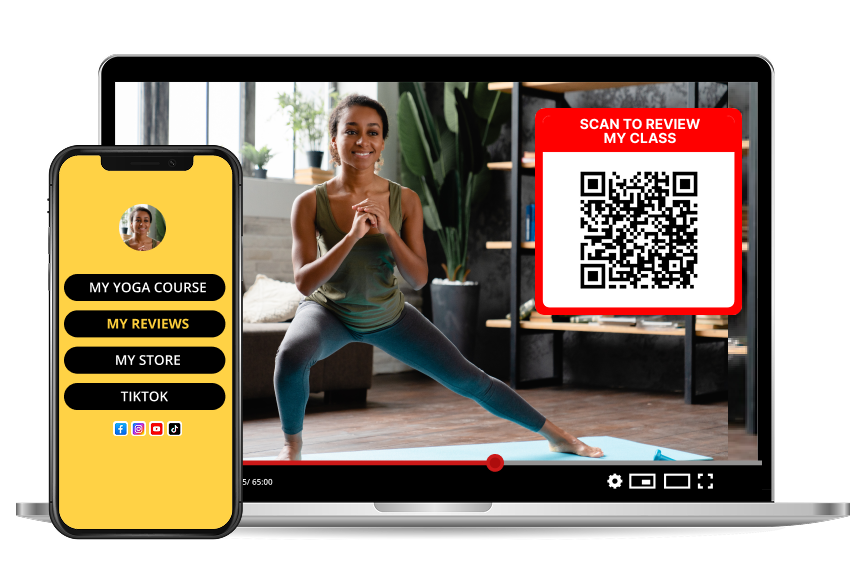
The best time to ask for a review is the second someone finishes watching. Show a QR code on screen, and turn passive viewers into named testimonials.
How it works
- 1
Generate your QR code
Your dashboard creates a QR code and printable templates linked to your review page — no design work needed.
- 2
Show it at the end of the video
Add the code to your outro, your final slide, a webinar wrap-up or a livestream overlay, and leave it up for a few seconds.
- 3
Collect ratings and quotes
Reviews arrive with a star rating and written comment. Reply, publish, and reuse the strongest quotes in your marketing.
Where QR code reviews outperform a link
A link needs someone to be on the same device, awake to the ask, and willing to type. A code on screen removes all three obstacles: point the phone, done.
- Webinars and online workshops, on the closing slide
- Zoom and Teams sessions, shared in the final minute
- Recorded videos and course lessons, in the outro
- In-person talks, on the handout and the last slide
- Digital products, on the download or thank-you page
For sellers of physical products
If you ship something, the package is prime review real estate. A code on the insert card catches people at the unboxing moment, which is when they feel most positive.
- Home-made food, jams, baked goods and coffee bags
- Candles, soaps and skincare
- Jewelry, ceramics and printed apparel
- Plants, pet treats and craft kits
- Market stall signage and delivery bags
Make the ask easy to say yes to
Give one clear instruction and one reason. "Scan this — 30 seconds, it helps us a lot" outperforms a paragraph of explanation every time.
Frequently asked questions
What is a QR code video review?
It is a review someone leaves right after watching your video, webinar or presentation, by scanning a QR code shown on screen instead of hunting for a form or a link.
Do people need to install an app?
No. The phone camera opens your review page in the browser, and the review takes about thirty seconds.
Where does the QR code work best on video?
On the closing slide, in the outro card, in a livestream overlay, and in the corner during a Q&A when attention is highest.
Can I use the same code for online and in-person events?
Yes. One code works on a slide, a printed handout, a table sign and a product insert, so all the feedback collects in one place.
Can I reply to what people write?
Yes, every review can get a public response from you, which shows future viewers that you listen.